Rooms & devices
A project's building structure lives in two adjacent tabs — Räume (Rooms) and Geräte (Devices). Both are populated by parsing the latest uploaded ETS file (see ETS files), and both are sortable, filterable tables. Logical Funktionen (Functions) — which group devices and group addresses by what they do — sit in their own tab alongside them.
Räume (Rooms)
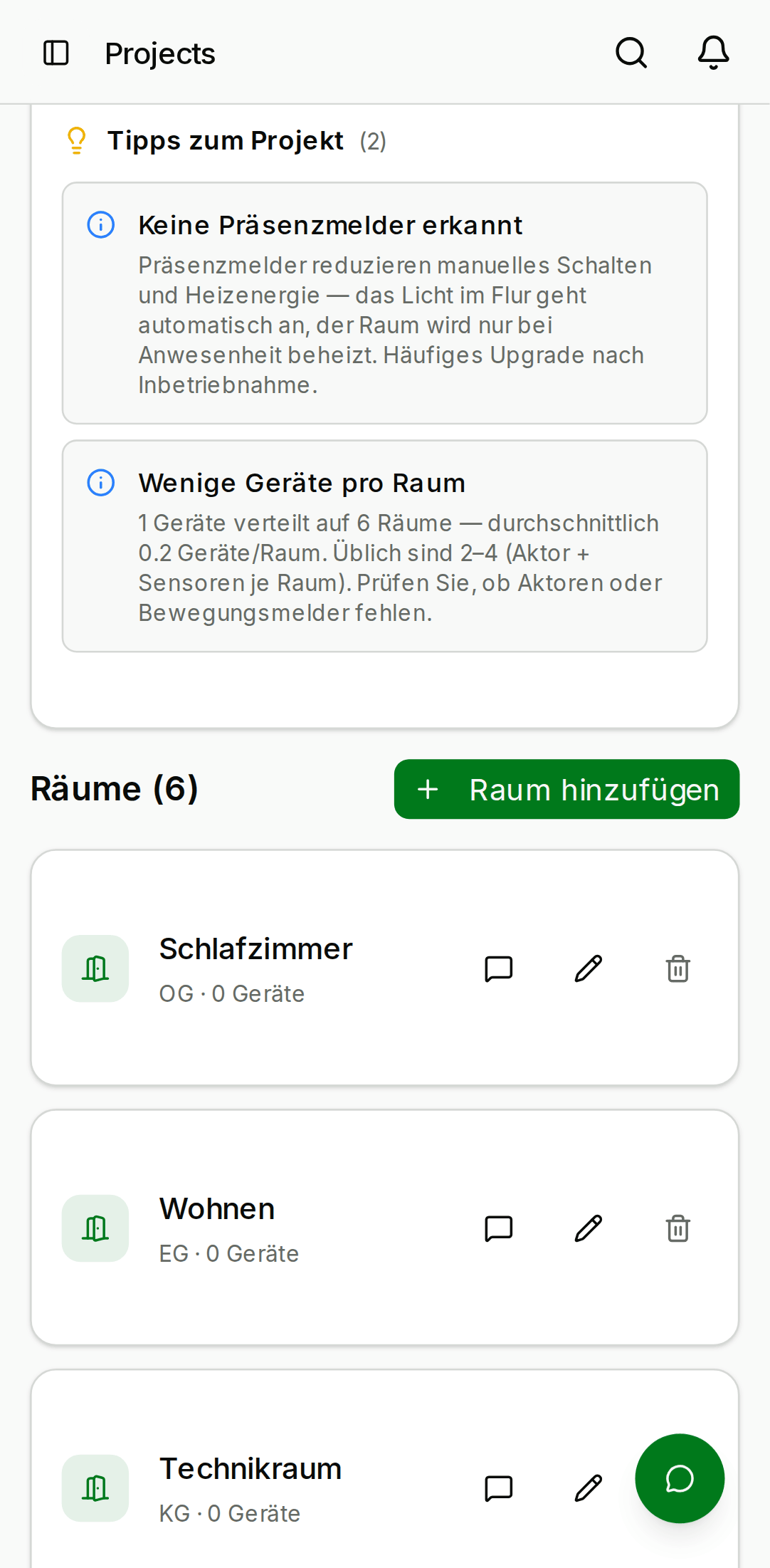
The Räume tab lists every room in the project as a table — room name, floor, and details — with a result count and a search box at the top. Sort by any column header, or filter by free text. Rooms with no floor are grouped under "Unassigned".
- Desktop
- Mobile

Geräte (Devices)
The Geräte tab is a sortable, filterable table of every device in the project — name, manufacturer, model, KNX address, device type, and the room it's assigned to. Click a column header to sort; use the search box to narrow by name, manufacturer, or address. A BOM CSV export downloads the current table as a bill of materials.
For a device that was matched to the KNX Clarity Catalog, the row links out to the product's datasheet, image, and documentation.
Manual edits
Anyone with the admin or technician org member role can edit a
device's name, description, and notes inline in the table. These edits
survive the next ETS upload as long as the device's KNX address does
not change — we reconcile by address, so a rename in ETS becomes a
rename in KNX Clarity, but a rename you make in KNX Clarity stays.
The manufacturer, model, and device-type fields come straight from ETS and are re-synced on every upload. Don't rely on them to store anything other than what ETS said. Put free-form notes in the Notes field instead.
Why a device might be missing
- The device was added in ETS but the ETS file hasn't been re-uploaded yet. Upload the latest version on the Pläne tab.
- The parser silently dropped a malformed device. Open the version on the Pläne tab; parser errors are logged to the comment field on the version row.
- The device exists in an earlier ETS version but was deleted in the latest one. KNX Clarity reflects whatever the most recent export contains.